Replacing the LCD display power adapter is usually very simple – until the replacement adapter looks correct, but is actually incompatible with the display.
Many power adapters for external monitors have similar casings, DC round-pin plugs, and output specifications. A 12V adapter may look almost identical to another 12V model, but differences in current capacity, connector size, polarity, or output stability may make them incompatible.
For anyone searching for an LCD monitor power adapter replacement, the safest approach is to treat the adapter as part of the monitor’s electrical system rather than as a generic accessory.
This compatibility checklist explains what to verify before purchasing or sourcing a replacement, including voltage, current, wattage, connector size, polarity, plug type, power-supply format, and safety requirements.
1. Start With the Monitor’s Original Power Specifications
The first step is to identify the exact electrical requirements of the monitor.
Look at the label on the back of the monitor, near the DC input socket, or on the original adapter. You may find specifications such as:
Input: DC 12V 3A
or:
Output: 19V ⎓ 2.1A
These numbers are more important than the physical appearance of the original adapter.
If the original power supply is missing, check the monitor’s user manual or the manufacturer’s technical documentation. The model number can also help identify the correct input specification.
Do not assume that every LCD monitor uses the same voltage. External monitor adapters commonly use different DC output levels depending on the display design, internal power architecture, screen size, and manufacturer.
For a broader explanation of voltage, current, connector selection, and other specifications, Szjialu’s AC DC power adapter selection guide provides a useful reference.
2. Match Output Voltage Exactly
Voltage is the first compatibility requirement.
If a monitor specifies 12V DC, the replacement adapter should normally provide regulated 12V DC. If it specifies 19V DC, the replacement should be designed for that voltage.
Do not select an adapter simply because its wattage is similar.
For example:
- Monitor requirement: 12V 3A
- Candidate adapter: 19V 2A
Even though both products may appear suitable from a general power perspective, the voltage is different and the adapter should not be used as a direct replacement.
Likewise, replacing a 19V monitor adapter with a lower-voltage model may result in startup problems, display instability, shutdowns, or failure to operate correctly.
Voltage should therefore be treated as a must-match specification, not an approximate value.
3. Check the Required Current
Once voltage is confirmed, check the current requirement.
Current is expressed in amperes (A). A monitor rated at 12V 3A requires an adapter capable of supplying the necessary current at 12V.
A replacement with a higher current rating can generally be acceptable when the voltage, polarity, connector, and other specifications are correct.
For example:
Monitor: 12V 2A
Replacement: 12V 3A
This is generally a reasonable configuration because the monitor draws the current it requires rather than being forced to consume the adapter’s entire 3A capacity.
However:
Monitor: 12V 3A
Replacement: 12V 1.5A
is not an appropriate replacement.
An undersized adapter may become excessively hot, enter protection mode, cause intermittent shutdowns, or operate outside its intended thermal and electrical limits.
This is particularly important with larger displays, monitors with integrated speakers, USB ports, LED lighting, docking functionality, or other auxiliary loads.
4. Calculate Wattage Before Choosing a Replacement
Wattage provides another useful compatibility check.
The basic formula is:
Power (W) = Voltage (V) × Current (A)
For example:
12V × 3A = 36W
Therefore, a 12V 3A monitor adapter has a nominal maximum output of 36W.
Some common combinations include:
| Output | Nominal Power |
|---|---|
| 12V 2A | 24W |
| 12V 3A | 36W |
| 12V 4A | 48W |
| 12V 5A | 60W |
| 19V 2A | 38W |
| 19V 3A | 57W |
| 24V 2A | 48W |
| 24V 3A | 72W |
However, wattage should not be used independently.
A 48W adapter could provide 12V 4A, 16V 3A, or 24V 2A. These are not interchangeable because the monitor requires a specific voltage and current combination.
For monitor replacement applications, the correct sequence is:
Voltage → Current → Wattage → Connector → Polarity
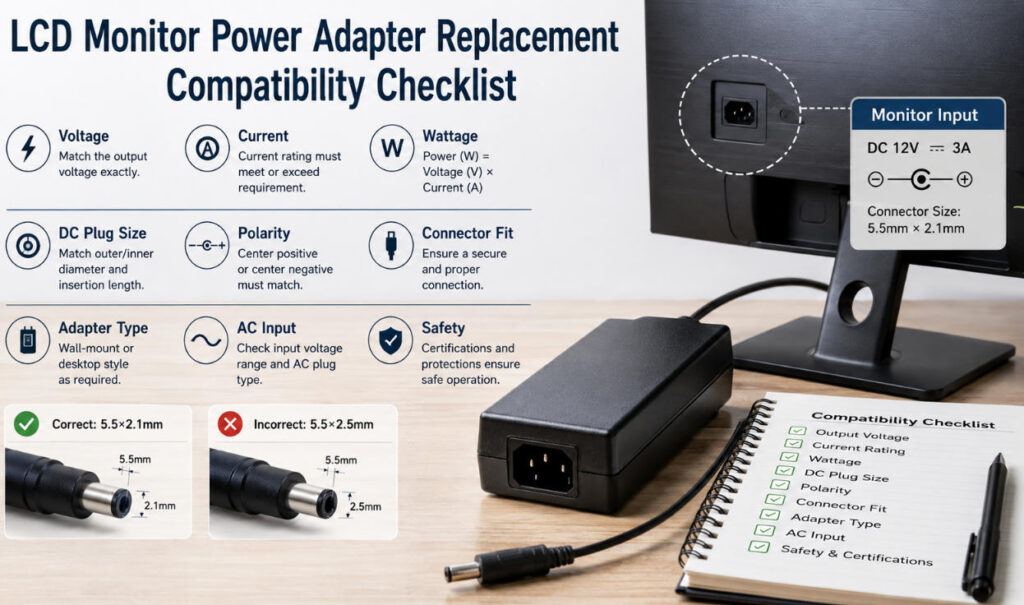
5. Verify the DC Plug Size
This is one of the most frequently overlooked parts of an LCD monitor power adapter replacement.
A replacement adapter can have exactly the correct voltage and sufficient current but still fail to work because the DC plug does not properly match the monitor.
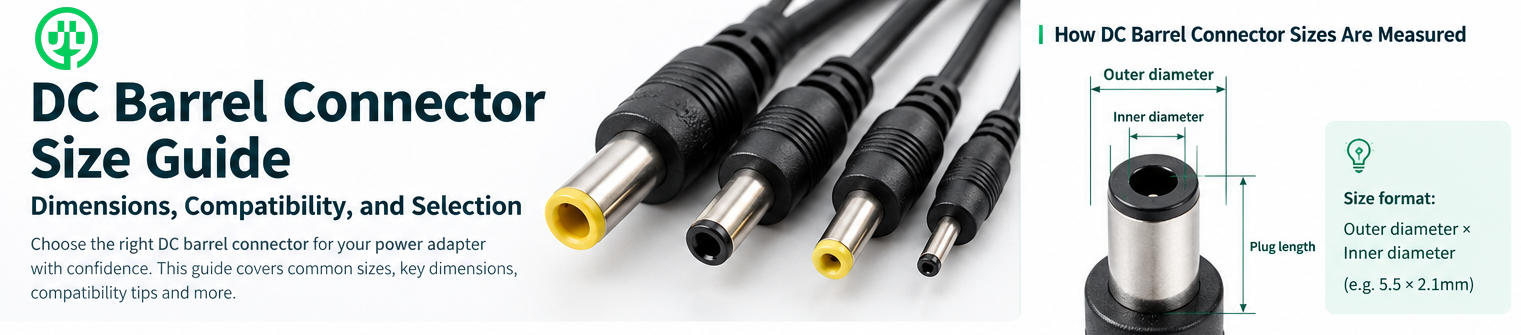
Barrel connectors can look almost identical while having different dimensions.
Common examples include:
- 5.5 × 2.1mm
- 5.5 × 2.5mm
- 4.0 × 1.7mm
- 3.5 × 1.35mm
A 5.5 × 2.1mm plug and a 5.5 × 2.5mm plug may appear similar, but the difference in inner diameter can result in a loose connection.
A poor mechanical fit may cause:
- Intermittent power
- Monitor restarts
- Voltage drops
- Flickering
- Heat at the connector
- Unreliable operation when the cable moves
This is why connector dimensions should be confirmed rather than estimated visually.
If you are dealing with 5.5mm barrel connectors, Szjialu’s article on 5.5×2.1mm vs 5.5×2.5mm DC plugs provides additional technical information.
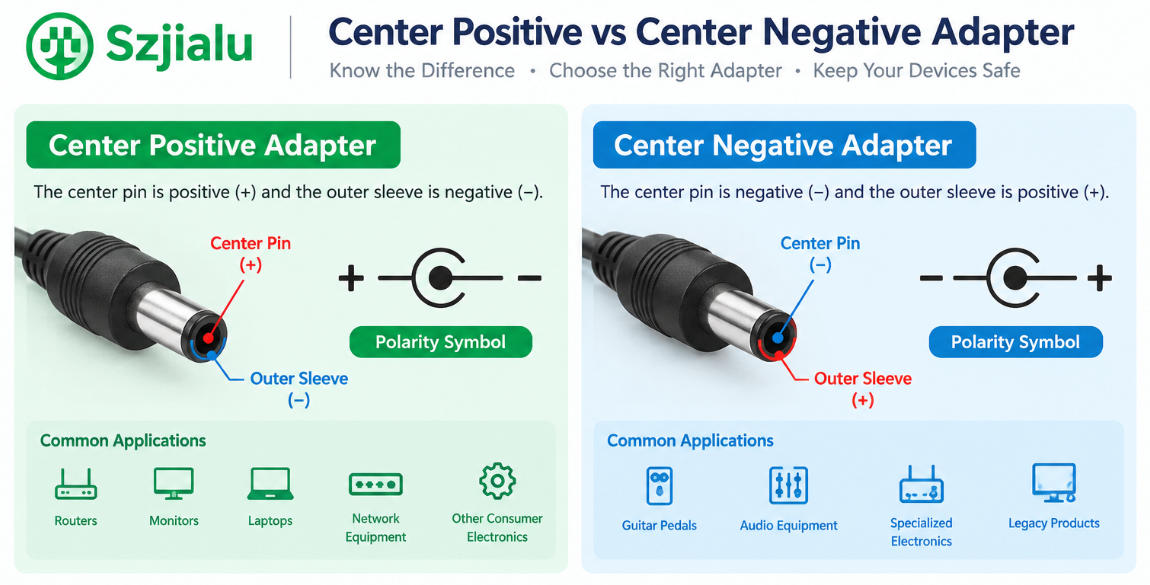
6. Confirm Polarity
Connector size is only one part of compatibility. The polarity must also match.
Many DC barrel power supplies use center-positive polarity, but this should never be assumed.
Check the polarity symbol printed on the original adapter or monitor.
A typical center-positive symbol indicates:
Inner pin: Positive (+)
Outer sleeve: Negative (−)
A replacement adapter with the wrong polarity can prevent the monitor from operating and, depending on the monitor’s internal protection design, may cause permanent damage.
For this reason, polarity should always be treated as a specification that must be verified.
Never select a replacement adapter based only on:
- Voltage
- Current
- Plug diameter
All three electrical and mechanical characteristics need to match.
7. Determine Whether You Need a Wall-Mount or Desktop Adapter
The physical format of the original power supply can also help identify the appropriate replacement.
Wall-Mount Adapter
A wall-mount adapter integrates the AC plug directly into the adapter housing.
It is compact and works well for lower-power electronics where space and portability are important.
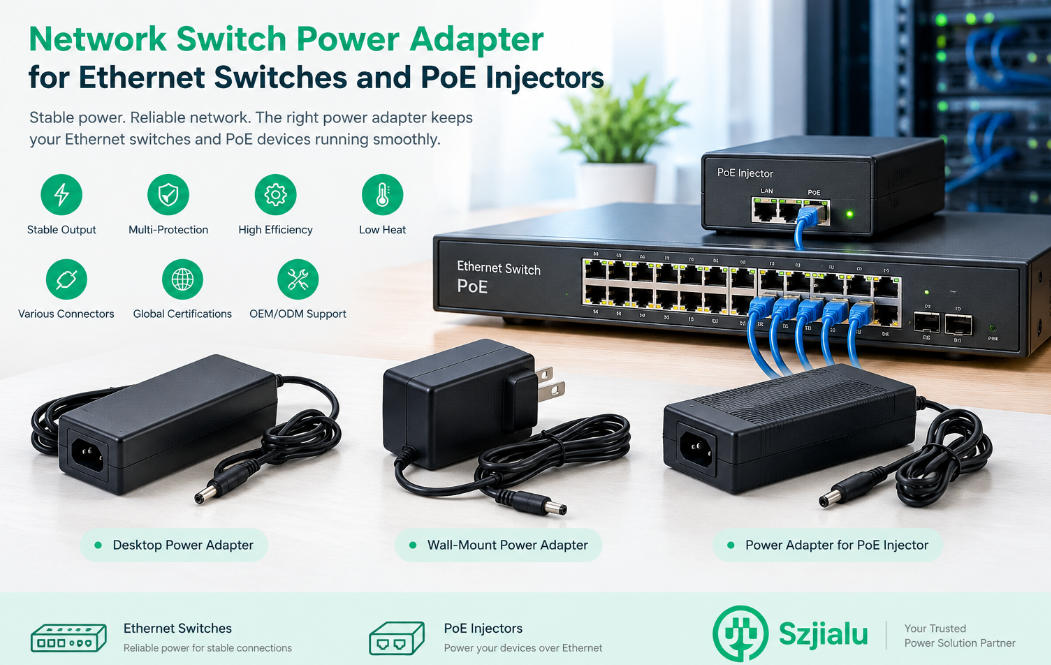
Desktop Power Adapter
A desktop adapter uses a separate AC input connection and DC output cable.
This format is common for monitors and other equipment requiring more power because the adapter can sit on a desk or under the monitor rather than placing the entire power supply on the wall outlet.
For larger LCD displays, professional monitors, commercial displays, and other higher-power equipment, desktop-style designs may provide better flexibility.
Szjialu’s Desktop Power Supply category includes several external power supply configurations, including 12V 3A and higher-power models. The company’s existing 12V 3A desktop model is rated at 36W and illustrates the type of external supply commonly used for electronic equipment.
8. Check the AC Input and Regional Plug
If the replacement adapter will be used in another country, do not overlook the AC input specification.
A universal-input adapter commonly supports approximately:
100–240V AC, 50/60Hz
This is useful for monitors and electronic products sold internationally because the same adapter platform can support different regional electrical systems.
The AC plug also needs to match the destination market.
Common configurations include:
- US plug
- EU plug
- UK plug
- AU plug
For manufacturers and distributors, an interchangeable-plug design can simplify international product distribution by allowing different regional plug heads to be used with a common adapter platform.
9. Do Not Ignore Output Stability
A monitor may appear to work with a low-cost replacement adapter, but that does not necessarily mean the power supply is suitable for long-term use.
LCD displays contain sensitive electronic circuits. Poor output regulation or excessive ripple and noise can contribute to unstable operation.
Potential symptoms of an unsuitable or deteriorating adapter can include:
- Screen flickering
- Random shutdowns
- Display resets
- Difficulty starting
- Intermittent black screens
- Audible electrical noise
- Excessive adapter temperature
A quality replacement should provide stable regulated output across its specified input and load range.
For commercial applications, engineers should pay attention to parameters such as:
- Output tolerance
- Load regulation
- Line regulation
- Ripple and noise
- Transient response
- Thermal performance
- Protection behavior
Two adapters carrying the same 12V 3A label may therefore have very different performance characteristics.
10. Check Protection and Safety Features
A replacement adapter should also include appropriate protection functions.
Common protections include:
- OCP — Overcurrent Protection
- OVP — Overvoltage Protection
- SCP — Short-Circuit Protection
- OLP — Overload Protection
- OTP — Overtemperature Protection
These protections help prevent abnormal operating conditions from damaging the adapter or connected equipment.
For commercial monitor products, buyers should also verify the certifications required for the destination market.
Depending on the market and product design, relevant certifications may include UL, ETL, CE, FCC, UKCA, PSE, KC, SAA, RCM, CB, or other applicable requirements.
Certification should be verified against the actual model and construction rather than judged only by the presence of a logo on the label.
11. Use This LCD Monitor Power Adapter Replacement Checklist
Before purchasing a replacement, confirm every item below:
- Output voltage matches the monitor specification
- DC output is regulated
- Current rating meets or exceeds the monitor requirement
- Rated wattage is sufficient
- DC plug outer diameter matches
- DC plug inner diameter matches
- Plug insertion length is correct
- Polarity matches
- Connector orientation is correct
- AC input range is appropriate
- Regional AC plug is correct
- Adapter form factor fits the installation
- Output regulation is suitable
- Ripple and noise are within acceptable limits
- Protection functions are included
- Required safety certifications are available
If any of these specifications are unknown, it is better to confirm them before ordering rather than relying on the adapter’s appearance.
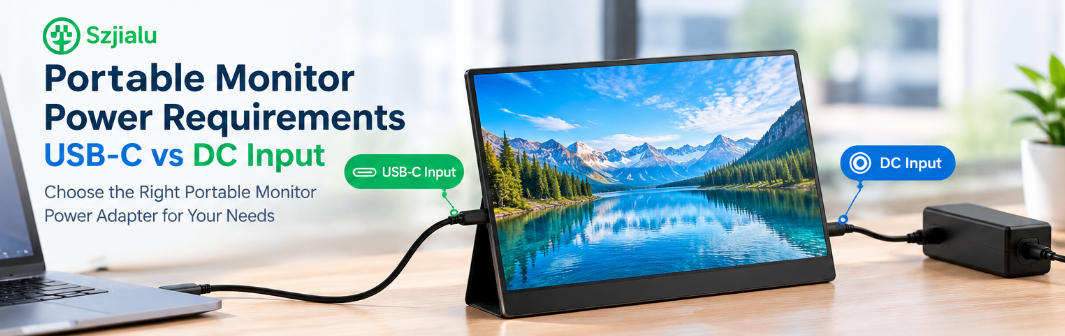
12. What About USB-C Monitors?
Newer monitors may use USB-C as their primary power interface instead of a traditional DC barrel connector.
This creates a different compatibility scenario because USB-C monitor power can involve USB Power Delivery negotiation rather than simply providing a fixed DC voltage through a barrel connector.
For a USB-C monitor, buyers should verify:
- Required USB-C PD power level
- Supported voltage profiles
- Maximum input power
- Cable capability
- USB-C port function
- Whether the monitor requires a specific PD profile
A conventional fixed-output barrel adapter should not be substituted for a USB-C PD power solution simply because the wattage appears similar.
The power architecture of the monitor determines the correct replacement approach.
13. When Should Businesses Consider a Custom Replacement?
For consumers replacing one failed adapter, an off-the-shelf model may be sufficient if every specification matches.
For monitor manufacturers, distributors, repair networks, and commercial equipment suppliers, however, customized power adapters can make more sense.
An OEM specification can define:
- AC input range
- DC output voltage
- Continuous current
- Peak current
- Connector dimensions
- Polarity
- Cable length
- Cable gauge
- Enclosure style
- AC plug
- Efficiency
- Ripple and noise
- Safety protections
- Certifications
- Label design
- Packaging
- Branding
This approach is especially useful when a monitor model has a proprietary connector, unusual power requirement, long cable requirement, or specific regional certification requirement.
Szjialu develops and manufactures AC/DC power adapters and supports OEM/ODM projects for customized electrical specifications, connectors, cables, labels, packaging, and market requirements.
Conclusion
Finding a suitable LCD monitor power adapter replacement is not just about matching the voltage printed on the old adapter.
A reliable replacement should have characteristics that match the output voltage of the display, provide sufficient current, have the correct wattage, use the correct DC connector, and have the correct polarity. For commercial and professional applications, the output stability, thermal performance, protection function, efficiency, and regional certification should also be evaluated.
The most important rule is simple: match the electrical and mechanical specifications, not the appearance of the adapter.
For individual replacements, carefully checking the original label and DC connector can prevent most compatibility problems. For monitor manufacturers and B2B buyers, working directly from a complete electrical and mechanical specification provides a more reliable path to consistent production.
With experience across wall-mount, desktop, and customized AC/DC power solutions, Szjialu provides power adapter solutions for a wide range of electronic equipment and OEM applications. The company’s broader power adapter portfolio includes multiple output ratings and form factors, allowing buyers to develop replacement or original-equipment solutions around specific monitor requirements.