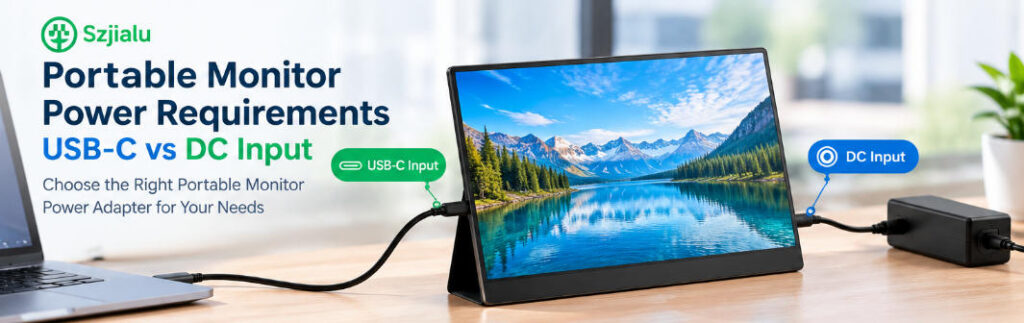
Portable monitors have changed the way people build mobile workstations, dual-screen laptop setups, gaming stations, and compact business displays. Unlike traditional desktop monitors, however, a portable display may be designed around very different power architectures.
Some models receive power through USB-C, while others use a dedicated DC input. There are also displays that support USB-C video but still require a separate DC power source when higher brightness, larger screen sizes, or additional functions are enabled.
For manufacturers, distributors, and purchasing teams, choosing the right portable monitor power adapter therefore requires more than checking the connector shape. The important questions are: How much power does the monitor actually require? Does the USB-C port support Power Delivery? What voltage profiles are accepted? Is the DC input fixed-voltage? And what happens when the monitor is used together with a laptop or other USB-powered device?
This guide compares USB-C and DC input power architectures and explains what to consider when sourcing portable monitor power solutions.
Why Portable Monitor Power Requirements Are Different
A conventional desktop monitor is usually designed around a dedicated external power supply or internal AC/DC power system. Portable monitors have stronger constraints around size, weight, cable management, and mobile compatibility.
The power design must often balance:
- Low power consumption
- Compact adapter size
- USB-C compatibility
- Battery-bank compatibility
- Stable operation at different brightness levels
- Lightweight cabling
- International charger compatibility
- Protection against over-current and overheating
A portable monitor may consume relatively little power when displaying a static office document but require more power when running at high brightness, high refresh rates, integrated speakers, touchscreen functions, or USB peripherals.
This makes the power architecture an important part of the monitor’s overall design.
For companies developing or sourcing display equipment, a broader power adapter product range can be useful when evaluating different voltage, current, connector, and form-factor requirements.
USB-C Power for Portable Monitors
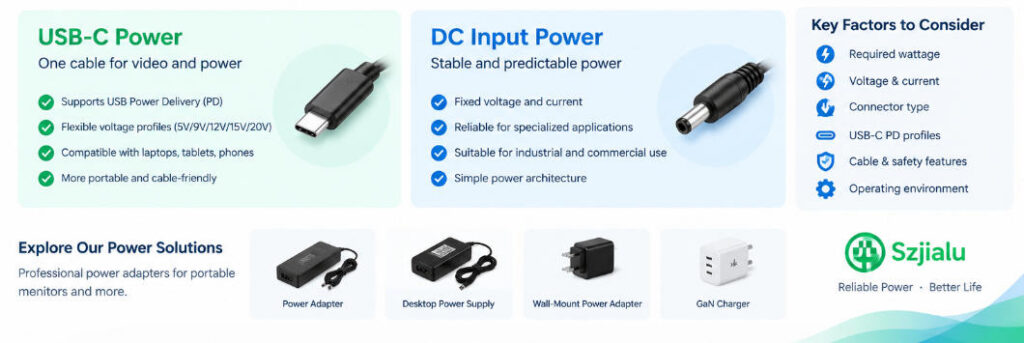
USB-C has become increasingly common in portable monitor designs because a single connector can potentially handle both video and power.
However, USB-C itself does not automatically mean that a monitor supports every USB-C charger.
The key distinction is whether the monitor’s USB-C input supports USB Power Delivery (USB PD) and which PD power profiles it accepts.
A monitor may specify requirements such as:
- 5V input
- 9V input
- 12V input
- 15V input
- 20V input
- A specific maximum wattage
The monitor and charger must negotiate a compatible power profile.
For example, a USB-C PD charger may support 5V/3A, 9V/3A, 12V/3A, 15V/3A and 20V/3.25A, as seen in Szjialu’s 65W USB-C PD charger specification.
This flexibility is one reason USB-C is attractive for portable display applications.
USB-C does not mean “any charger will work”
One of the most common mistakes when selecting a portable monitor power adapter is assuming that any USB-C charger can power the display.
The connector may physically fit while the electrical requirements do not.
For example, a portable monitor could require a higher-power PD profile than a small phone charger provides. A 20W charger may successfully charge a smartphone but may not provide enough power for a portable monitor operating at maximum brightness.
Therefore, buyers should verify:
- Required USB-C PD wattage
- Supported voltage profiles
- Required current
- Cable specification
- Whether the USB-C port is power input, video input, or both
- Whether power is negotiated through USB PD
This distinction becomes especially important for commercial products that need consistent operation across multiple markets.
DC Input: A More Traditional Power Architecture
Dedicated DC input remains relevant for portable monitors, especially when the manufacturer wants a predictable and controlled power source.
Instead of negotiating power through USB PD, a DC input generally expects a defined voltage and sufficient current.
A specification might look like:
Input: DC 12V / 2A
or:
Input: DC 12V / 3A
In this case, the power supply needs to provide the specified voltage and enough current.
For example:
12V × 3A = 36W
The adapter therefore has a nominal maximum output capability of 36W.
This architecture can be attractive when the monitor has a fixed electrical design and the manufacturer wants to control the exact power characteristics.
It can also simplify some embedded and commercial applications where USB PD negotiation is unnecessary.
USB-C vs DC Input: Key Differences
| Factor | USB-C PD | DC Input |
|---|---|---|
| Connector | USB-C | DC barrel or dedicated connector |
| Power method | Negotiated | Usually fixed voltage |
| Voltage flexibility | Multiple PD profiles | Usually one specified voltage |
| Charger compatibility | Depends on PD profiles | Depends on voltage/current/plug |
| Cable | Usually detachable | Often dedicated DC cable |
| Portability | Excellent | Depends on adapter design |
| Multi-device charging | Possible | Usually limited |
| Replacement | Relatively flexible when PD matches | Requires detailed specification matching |
| Design complexity | Higher due to PD control | Simpler power architecture |
| Typical advantage | Universal mobile ecosystem | Predictable dedicated power |
Neither architecture is automatically suitable for every portable monitor.
The correct choice depends on the display’s electrical design, target market, required power level, and user environment.
How Much Power Does a Portable Monitor Need?
There is no universal wattage requirement for portable monitors.
Power consumption depends on several design variables:
- Screen size
- Display technology
- Resolution
- Refresh rate
- Brightness
- Touchscreen functionality
- Built-in speakers
- USB hub functionality
- Internal electronics
- Auxiliary peripherals
A small low-power portable monitor may operate from a relatively modest USB-C power source, while a larger high-refresh-rate display may require considerably more power.
For procurement teams, it is better to work from the monitor’s actual electrical specification rather than selecting a charger based on screen size alone.
The basic relationship remains:
Power (W) = Voltage (V) × Current (A)
For a DC-powered monitor:
12V × 2A = 24W
12V × 3A = 36W
15V × 2A = 30W
For USB-C PD, however, the relationship is more dynamic because the charger and device can negotiate an appropriate voltage/current combination.
Why Power Headroom Matters
Choosing an adapter that exactly matches the monitor’s nominal power consumption is not always the most practical approach.
A portable monitor can experience changing power demand depending on operating conditions.
For example, a display may consume more power when:
- Brightness is increased
- Refresh rate is increased
- Speakers are active
- USB peripherals are connected
- Touch functionality is operating
- The display is starting up
For this reason, the adapter should have sufficient continuous output capability for the monitor’s specified operating conditions.
However, simply choosing the highest-wattage charger available is also unnecessary.
A 100W charger does not automatically make a monitor operate better than a properly specified 30W or 45W solution.
The important point is compatibility first, capacity second.
When USB-C Is the Better Fit
USB-C is particularly attractive for portable monitors designed for mobile professionals, laptop users, travelers, and consumer electronics ecosystems.
A USB-C power architecture can simplify the user’s setup because one cable may potentially provide both video and power.
It also allows a monitor to share the same charger ecosystem as:
- Laptops
- Tablets
- Smartphones
- Gaming handhelds
- USB-C hubs
- Other portable equipment
For example, Szjialu’s 65W GaN USB-C PD charger supports multiple PD voltage profiles and is designed for laptops, tablets, portable consoles, and other USB-C equipment.
This type of charger architecture can be relevant when portable monitor manufacturers want a compact external power solution that fits into a broader USB-C charging ecosystem.
For higher-power applications, Szjialu also offers a 100W USB-C PD charger supporting up to 20V/5A output.
When DC Input Makes More Sense
A dedicated DC input can be preferable when the monitor requires a specific voltage and the manufacturer wants tighter control over the power source.
It can be especially practical for:
- Industrial portable displays
- Commercial monitoring equipment
- Specialized field displays
- Embedded display systems
- OEM products
- Applications with fixed installation accessories
For these applications, a dedicated portable monitor power adapter can be specified around the exact voltage, current, connector, polarity, cable length, and certification requirements.
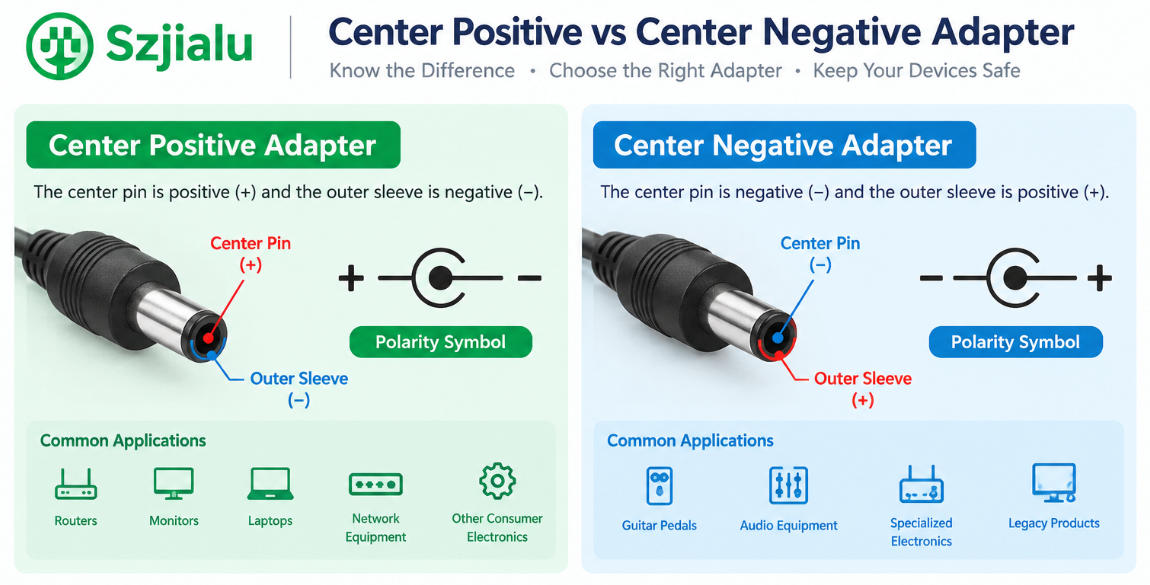
The connector should not be selected simply because it fits physically.
Important specifications include:
- Output voltage
- Maximum continuous current
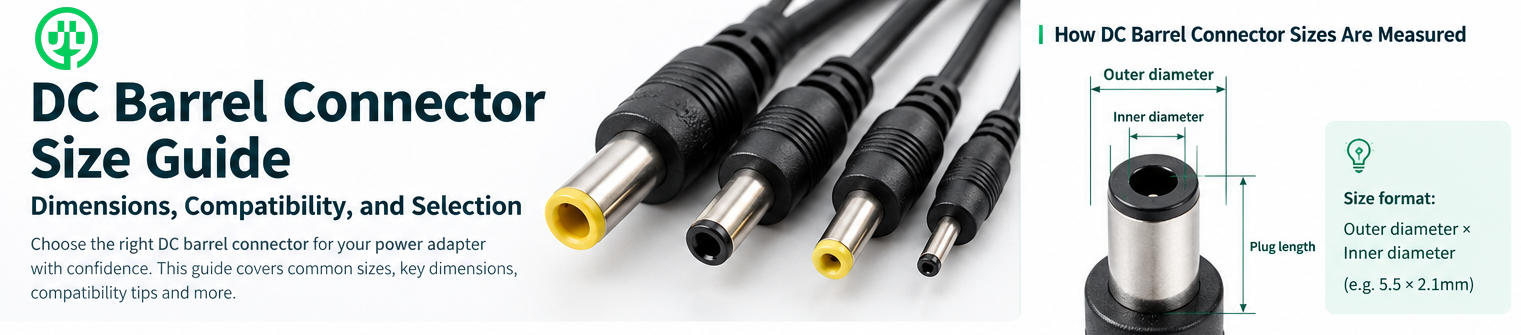
- DC plug dimensions
- Polarity
- Cable length
- Cable gauge
- Connector retention
- Ripple and noise
- Protection functions
This is similar to the considerations involved when replacing a conventional LCD monitor adapter. Szjialu’s existing LCD monitor power adapter replacement guide already covers voltage, current, wattage, DC plug size, polarity, and adapter format in greater detail.
Portable Monitor Power Adapter Selection Checklist
For product development or bulk purchasing, the following checklist can help prevent compatibility problems.
1. Confirm the input interface
Determine whether the monitor uses:
- USB-C
- DC barrel connector
- Proprietary DC connector
- Multiple power inputs
2. Confirm the required voltage
For DC input, the output voltage normally needs to match the monitor’s specified requirement.
For USB-C, check the supported PD voltage profiles.
3. Calculate required power
Use:
Voltage × Current = Wattage
Then verify that the adapter provides sufficient continuous output.
4. Check USB-C PD requirements
For USB-C monitors, confirm:
- PD support
- Supported PDOs
- Maximum power
- Cable requirements
- Whether the port supports video as well as power
5. Verify the connector
For DC-powered displays, confirm the exact connector dimensions and polarity.
Even small differences between barrel plug sizes can cause intermittent connections or complete incompatibility.
6. Consider the operating environment
A portable monitor intended for travel may prioritize:
- Compact size
- Low weight
- Foldable plug
- Universal AC input
An industrial or commercial monitor may prioritize:
- Long-term reliability
- Stable output
- Thermal performance
- Connector durability
- Certification
- Custom cable length
What Should Manufacturers Consider When Sourcing?
For manufacturers and enterprise purchasing teams, the decision goes beyond finding an existing charger on the market.
A complete specification should ideally define:
Electrical
- AC input range
- DC output
- USB-C PD profiles
- Rated power
- Efficiency
- Ripple and noise
Mechanical
- Plug dimensions
- Cable length
- Cable gauge
- Housing size
- Weight
- Connector orientation
Safety
- Short-circuit protection
- Over-voltage protection
- Over-current protection
- Over-temperature protection
- Over-load protection
Market requirements
- AC plug type
- Regional certifications
- Label requirements
- Packaging
- OEM branding
For buyers that require fixed-voltage DC solutions, Szjialu’s Desktop Power Supply range includes products such as 12V 3A desktop power supplies, while the Wall-Mount Power Adapter category provides more compact external power options.
For USB-C-based products, the GaN Charger category includes 20W through 140W charger categories and can support different portable-device power requirements.
Designing a Portable Monitor Power Solution with Szjialu
For a standard consumer portable monitor, USB-C PD can provide a convenient path toward charger standardization and portability.
For a specialized display, a dedicated DC power architecture may offer more predictable electrical characteristics.
For manufacturers, the most practical solution may also be a customized adapter designed around the monitor’s actual electrical and mechanical requirements.
Szjialu is a China-based manufacturer specializing in power adapters, USB-C PD chargers, GaN chargers, desktop power supplies, and customized power solutions. Its product portfolio covers different power levels and form factors, while OEM/ODM projects can be developed around specific voltage, current, connector, cable, plug, protection, certification, and packaging requirements. The company’s website also highlights its manufacturing capabilities and custom power-solution services.
For portable monitor brands, distributors, and equipment manufacturers, this approach can be more practical than adapting a generic charger after the monitor has already been designed.
Conclusion
The choice between USB-C and DC input for a portable monitor ultimately depends on how the display is designed and where it will be used.
USB-C PD provides flexibility, portability, and compatibility with a growing ecosystem of laptops, tablets, phones, and other USB-C equipment. It is particularly suitable for consumer-facing portable monitors and mobile workstations.
DC input provides a more dedicated power architecture with predictable voltage and current requirements. It can remain a practical option for specialized, industrial, commercial, and OEM display applications.
When selecting a portable monitor power adapter, the most important consideration is not the connector itself. Buyers should evaluate the complete electrical system: voltage, current, wattage, PD profiles, connector specifications, cable requirements, protection features, thermal performance, and regional compliance.
For manufacturers and bulk buyers, defining these requirements at the product-development stage can significantly reduce compatibility issues and make the final monitor-and-adapter system more reliable.