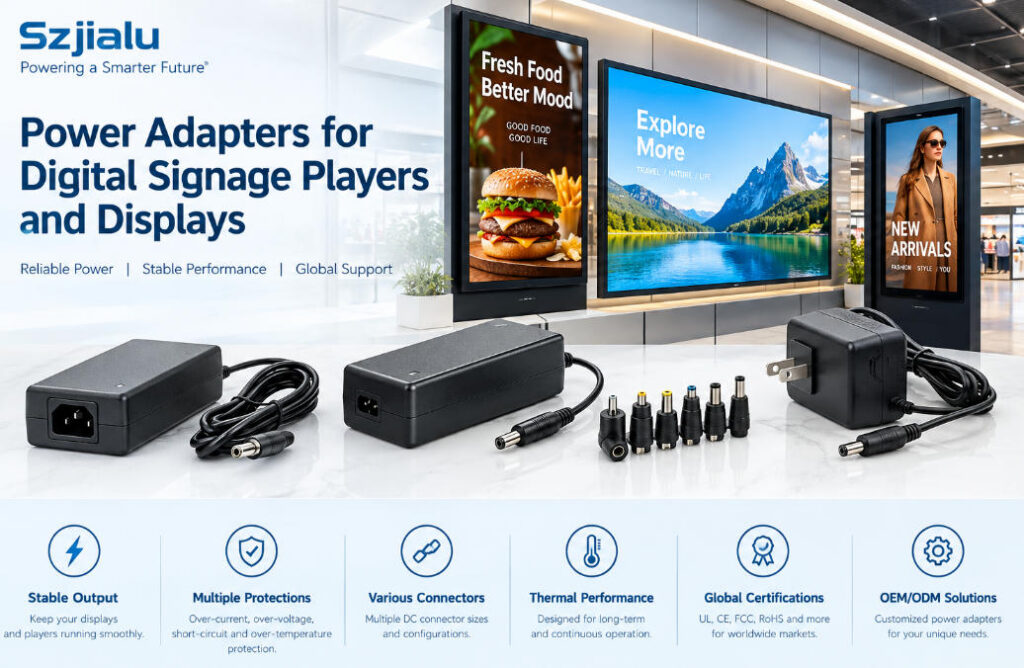
Digital signage systems are becoming increasingly common in retail stores, transportation hubs, corporate offices, hotels, restaurants, healthcare facilities, schools, and public spaces. Behind every reliable digital signage installation is a power system that must support the display, media player, networking hardware, and other connected components for long operating periods.
For system integrators and equipment manufacturers, choosing a digital signage power adapter is therefore more than simply matching the voltage printed on a device label. The adapter must provide stable output under continuous operation, sufficient current capacity, appropriate connectors, adequate thermal performance, and the required safety certifications for the target market.
A poorly matched adapter can lead to screen flickering, media player restarts, intermittent communication, excessive heat, or premature component failure. For commercial installations where displays may operate for 12, 16, or even 24 hours per day, these problems can quickly become costly.
This guide explains the main factors to consider when selecting power adapters for digital signage players and displays, with a focus on practical requirements for manufacturers, integrators, and bulk purchasing teams.
1. Start With the Complete Digital Signage Power Architecture
A digital signage installation rarely consists of a display alone.
A typical system may include:
- LCD or commercial display
- Android or Linux-based media player
- Mini PC or computing module
- Network equipment
- Touchscreen controller
- USB peripherals
- Speakers or audio equipment
- Sensors or interactive modules
Some displays have the media player integrated into the screen, while others use an external player connected through HDMI, DisplayPort, USB, or another interface.
This distinction matters when selecting a power adapter.
If the display and player use separate power inputs, each device may require its own adapter. In other designs, a central power architecture may supply multiple modules. The correct solution depends on the electrical design of the complete system rather than the display’s rated wattage alone.
For equipment manufacturers, it is useful to define the power requirements of every module before selecting the final adapter specification.
2. Match Output Voltage Before Considering Wattage
Voltage is one of the most important specifications for a digital signage power adapter.
Commercial display and media-player systems may use different DC voltages depending on their internal architecture. Common external power requirements include 5V, 9V, 12V, 19V, and 24V DC, although other specifications are possible.
The adapter output voltage should match the equipment’s required input voltage.
For example, a device designed for 12V DC should not be powered by a 19V adapter simply because the higher-voltage model provides more wattage. Excessive voltage can damage electronic components or trigger protection circuits.
Voltage stability is also important. A digital signage system may experience visible or functional problems when the power source is unstable, including:
- Screen flickering
- Unexpected system restarts
- Media player crashes
- Backlight instability
- Touchscreen interruptions
- Network disconnections
- Audio interruptions
For this reason, buyers should evaluate regulation and operating performance rather than looking only at the nominal voltage on the label.
3. Calculate Current and Power Requirements Correctly
The basic relationship between voltage, current, and power is:
Power (W) = Voltage (V) × Current (A)
For example:
| Output | Current | Rated Power |
|---|---|---|
| 12V | 2A | 24W |
| 12V | 3A | 36W |
| 12V | 5A | 60W |
| 24V | 2A | 48W |
| 24V | 4A | 96W |
However, the equipment’s nominal consumption should not automatically become the adapter’s maximum operating point.
Digital signage equipment can experience short periods of higher demand during startup, processor activity, display initialization, or peripheral activation. An adapter operating continuously at its absolute maximum rating may also experience greater thermal stress.
For long-running commercial installations, it is generally sensible to leave a reasonable power margin after calculating the actual system load.
For example, if a digital signage player consistently requires 36W, a power adapter with exactly 36W capacity may have little reserve for load variations. A higher-rated adapter may provide a more appropriate operating margin if the voltage and connector specifications remain compatible.
The required margin should be determined from the equipment manufacturer’s specifications and actual operating conditions rather than applying a universal percentage to every application.
4. Digital Signage Players Need Stable Power
The media player is often the control center of a digital signage installation.
It may decode high-resolution video, communicate with a content management system, connect to Wi-Fi or Ethernet, update content, control peripherals, and run scheduled applications. These functions can produce variable power consumption.
A power adapter that performs adequately under a simple static load may behave differently when the player operates under heavier processing conditions.
For integrators, important evaluation points include:
- Output voltage stability
- Continuous current capability
- Startup behavior
- Ripple and noise performance
- Protection functions
- Operating temperature
- Long-duration reliability
This becomes especially important when a signage network contains dozens or hundreds of installations. A small power-related failure at one location may be manageable, but repeated failures across a large deployment can increase maintenance costs significantly.
5. Choose the Right Adapter Form Factor
The physical design of the adapter is another important consideration.
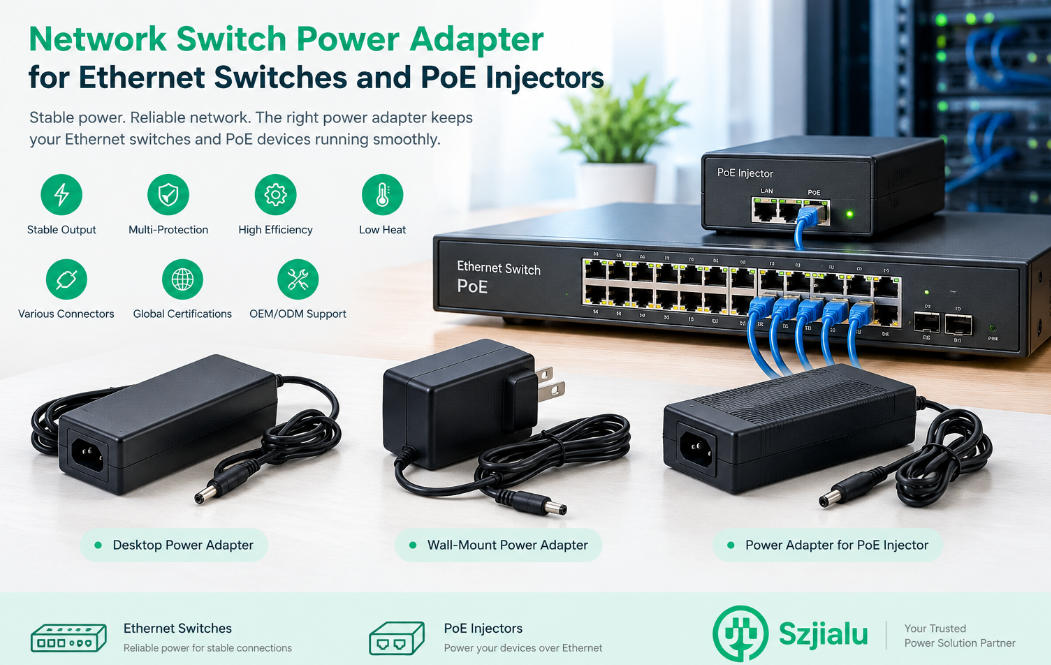
Wall-mount adapters are useful when the installation has limited space and the power source can be positioned close to the equipment. They can reduce cable complexity and simplify installation.
Desktop-style adapters can be more suitable when higher output power is required or when the system design provides a separate AC input and external DC power supply.
For larger digital signage equipment, desktop power adapters can offer greater flexibility in output specifications, connector configuration, and cable length.
Szjialu provides different power adapter formats, including wall-mount and desktop power supply solutions, allowing equipment manufacturers and system integrators to select a configuration according to the installation requirements.
For applications with unusual voltage, current, connector, cable, or mechanical requirements, a customized power supply may be more practical than modifying a standard consumer adapter.
6. Don’t Ignore the DC Connector
Electrical compatibility is only part of the selection process.
The DC connector must also match the equipment.
Common considerations include:
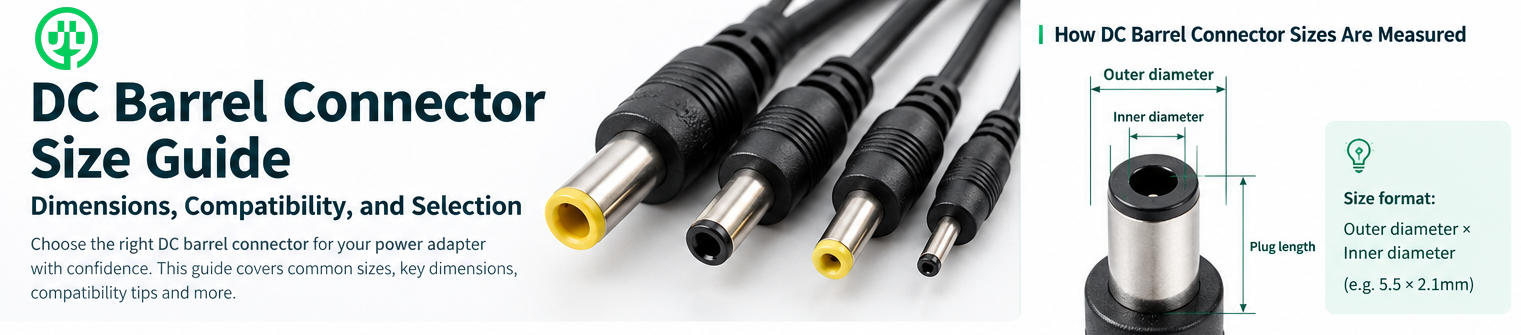
- Connector outer diameter
- Inner diameter
- Barrel length
- Polarity
- Cable length
- Right-angle or straight configuration
- Connector locking requirements
Two adapters can have the same voltage and current rating but still be incompatible because their connectors are different.
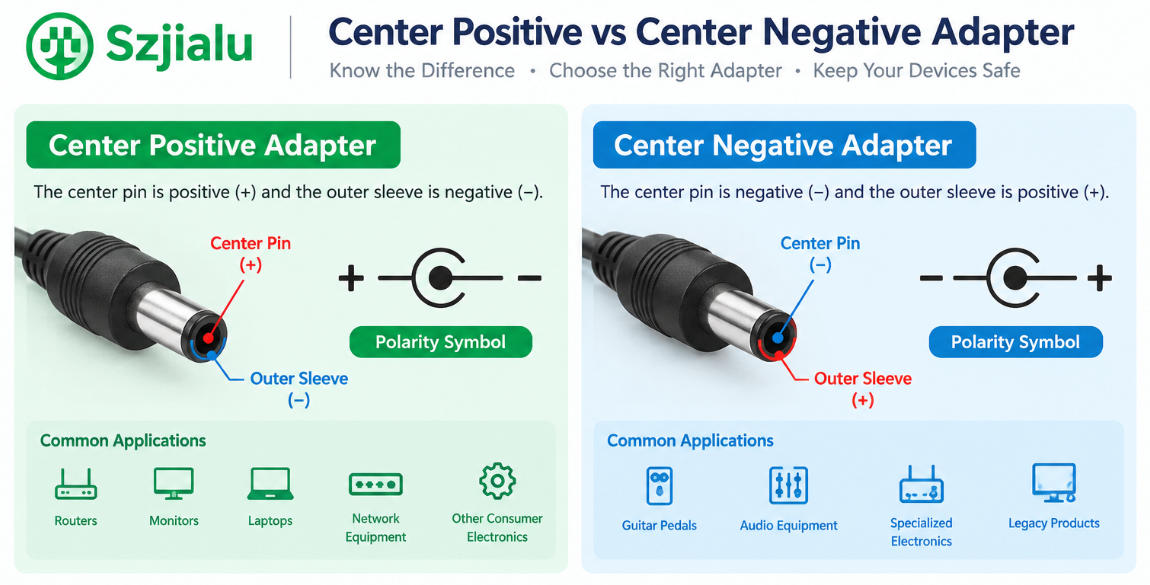
Polarity is particularly important. A device designed for center-positive input should not be connected to an adapter with the opposite polarity unless the equipment is specifically designed for it.
For OEM projects, the connector specification should be included in the engineering documentation rather than treated as an afterthought during production.
7. Consider Heat and Continuous Operating Conditions
Digital signage systems are often installed in environments where the power adapter has limited ventilation.
Examples include:
- Behind wall-mounted displays
- Inside digital kiosks
- Inside retail cabinets
- In ceiling-mounted equipment
- Inside enclosed media-player compartments
An adapter may therefore operate at a higher ambient temperature than it would in an open office environment.
Thermal design affects long-term reliability. Buyers should consider the adapter’s rated operating temperature, efficiency, enclosure design, ventilation conditions, and actual installation environment.
High efficiency can also help reduce unnecessary heat generation. However, efficiency should be evaluated together with output stability, protection design, safety certification, and continuous-load performance.
8. Safety Protection Is Essential for Commercial Displays
A digital signage power adapter should incorporate appropriate protection mechanisms for the intended application.
Typical protection functions may include:
- Short-circuit protection
- Over-current protection
- Over-voltage protection
- Over-temperature protection
These features can help reduce the risk of damage caused by abnormal operating conditions.
Certification is equally important for products intended for international distribution. Depending on the destination market and product category, buyers may require certifications such as UL, FCC, CE, UKCA, KC, SAA, PSE, CCC, or other applicable standards.
The certification requirements should be confirmed according to the final product, target market, adapter design, and applicable regulations rather than assuming that one certificate covers every application.
9. Digital Signage Power Adapter Selection Checklist
Before approving an adapter for a digital signage project, procurement and engineering teams can review the following checklist:
| Specification | What to Confirm |
|---|---|
| Input | Voltage range and frequency |
| Output voltage | Must match equipment requirements |
| Output current | Must meet continuous system demand |
| Power rating | Should provide appropriate operating margin |
| Connector | Size, polarity, length, and configuration |
| Protection | SCP, OCP, OVP, OTP where applicable |
| Thermal performance | Suitable for installation environment |
| Certification | Appropriate for target market |
| Cable | Length, gauge, connector type |
| Mechanical design | Wall-mount or desktop configuration |
| Reliability | Suitable for continuous commercial operation |
| Customization | Available for OEM/ODM requirements |
This checklist can help prevent the common mistake of selecting a power adapter based solely on voltage and wattage.
10. Standard Adapter or Customized Power Supply?
For small-scale deployments, a standard digital signage power adapter may be sufficient when the electrical and mechanical requirements are conventional.
For larger projects, however, customization can offer practical advantages.
An OEM power supply program may allow the manufacturer to specify:
- Output voltage and current
- DC connector dimensions
- Cable length
- Plug type
- Housing design
- Label requirements
- Packaging
- Certification configuration
This can be particularly useful for digital signage brands that use the same media player or display platform across multiple markets.
Instead of maintaining several unrelated adapters, a standardized customized power solution can simplify procurement and product configuration.
Szjialu supports OEM and ODM power supply projects and manufactures multiple AC/DC adapter series for different equipment requirements. The company’s product range covers various output specifications and power levels, while customized power supply projects can be developed according to customer requirements.
11. Why Power Supply Selection Matters for Digital Signage Reliability
Digital signage is often treated as a display technology project, but its reliability depends heavily on the supporting power architecture.
A high-quality screen cannot compensate for an unstable power source. Likewise, a powerful media player may still restart unexpectedly if its adapter cannot maintain stable output under changing loads.
For equipment manufacturers and system integrators, the most reliable approach is to evaluate the power adapter as part of the complete system.
The key questions are straightforward:
Does the voltage match?
Is there enough continuous current?
Is the connector correct?
Can the adapter operate reliably in the intended environment?
Are the required protection features and certifications available?
Can the supplier support consistent production when the project scales?
Answering these questions before production can reduce field failures and simplify long-term maintenance.
Conclusion
Selecting a digital signage power adapter requires more than matching a number on a product label. The adapter must work as part of the entire display and media-player system, providing stable voltage, sufficient current, appropriate power capacity, correct connectors, thermal performance, protection, and market-specific compliance.
For retail displays, interactive signage, commercial monitors, digital kiosks, and external media players, the ideal power solution depends on the actual electrical architecture and installation environment.
For manufacturers and procurement teams, working directly with an experienced power adapter supplier can also make it easier to standardize specifications, customize connectors and cables, manage certifications, and scale production.
Szjialu develops and manufactures AC/DC power adapters, USB chargers, PD chargers, and customized power supply solutions for global equipment manufacturers and integrators. With multiple power ranges and OEM/ODM capabilities, the company can support digital signage projects that require both standard and application-specific power solutions.