Self-service kiosks are becoming an important part of retail, hospitality, transportation, healthcare, banking, vending, and public-service environments. From touchscreen ordering terminals and ticketing machines to check-in stations and payment kiosks, these systems are expected to operate reliably for long periods with minimal human intervention.
Behind every stable kiosk is a properly selected power system.
The Self-service Kiosk power supply is not simply a component that converts AC power into DC power. It has to support the kiosk’s computer, display, payment peripherals, scanners, printers, cameras, speakers, network modules, and other connected devices while maintaining stable output under continuous operating conditions.
For equipment manufacturers, system integrators, and bulk buyers, choosing the right power adapter early in the product development process can reduce compatibility problems, thermal issues, unexpected shutdowns, and costly redesigns.
What Makes a Self-service Kiosk Power Supply Different?
A typical consumer electronic device may have relatively simple power requirements. A self-service kiosk is usually more complicated.
A single kiosk can combine several power-consuming components:
- Industrial PC or embedded computer
- LCD or touchscreen display
- Payment terminal
- Barcode or QR-code scanner
- Receipt printer
- NFC or RFID reader
- Camera
- Wi-Fi, Bluetooth, or cellular communication module
- Speakers
- LED indicators
- Cooling fans
- USB peripherals
The total power requirement therefore depends on the complete system rather than the touchscreen or computer alone.
This is why the correct Self-service Kiosk power supply should be selected according to the complete electrical architecture of the kiosk.
For example, a compact information kiosk may require only a relatively low-power DC adapter, while a retail ordering kiosk with a large display, thermal printer, payment system, and industrial computer may require a significantly higher-power desktop AC/DC supply.
Start With a Complete Power Budget
The first step in selecting a kiosk power adapter is to calculate the actual system load.
Suppose a kiosk includes:
| Component | Typical Power Consideration |
|---|---|
| Touchscreen display | 20–50W |
| Embedded computer | 15–40W |
| Payment terminal | 5–15W |
| Barcode scanner | 3–8W |
| Receipt printer | 20–50W peak |
| Network module | 3–10W |
| Speakers and LEDs | 2–10W |
| Cooling fan | 2–5W |
These values are only examples. Actual consumption must be taken from the final components used in the kiosk.
The important point is that the power adapter should not be selected by adding only the nominal ratings and stopping there.
The designer should consider:
Total continuous load + startup demand + peripheral peaks + design margin
A reasonable engineering margin helps prevent the adapter from operating continuously at its maximum rating.
For example, if the calculated continuous load is 80W, choosing a power supply with exactly 80W of rated output may leave little headroom for printer startup, USB peripherals, aging, temperature changes, or future hardware revisions.
A higher-rated adapter can provide a more comfortable operating margin when the enclosure and thermal design allow it.
Voltage and Current Must Match the Kiosk Architecture
Voltage compatibility is one of the most important requirements.
If the kiosk electronics require 12V DC, the selected adapter should provide a regulated 12V output. The available current should then be sufficient for the complete connected load.
The basic relationship is:
Power = Voltage × Current
For example:
- 12V × 3A = 36W
- 12V × 5A = 60W
- 12V × 8A = 96W
- 24V × 4A = 96W
This is particularly relevant for kiosk manufacturers because different subsystems may operate at different voltages.
A kiosk might use 12V for the display and computer system while other internal modules use 5V or USB power. In that situation, the system designer needs to determine whether the main adapter should directly supply the required voltage or whether an internal DC/DC conversion stage will be used.
The external adapter should therefore be selected together with the kiosk’s internal power architecture rather than as an isolated component.
Choosing Between Wall-Mount and Desktop Power Adapters
Physical installation is another important consideration.
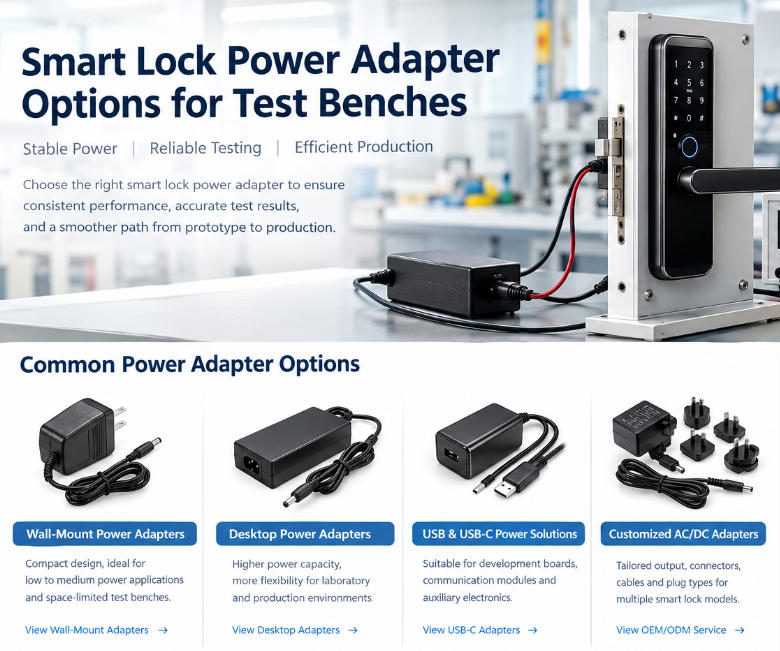
For smaller kiosks or systems with relatively low power consumption, a wall-mount adapter can provide a compact solution. It connects directly to the AC outlet and avoids the need for a separate AC input cable.
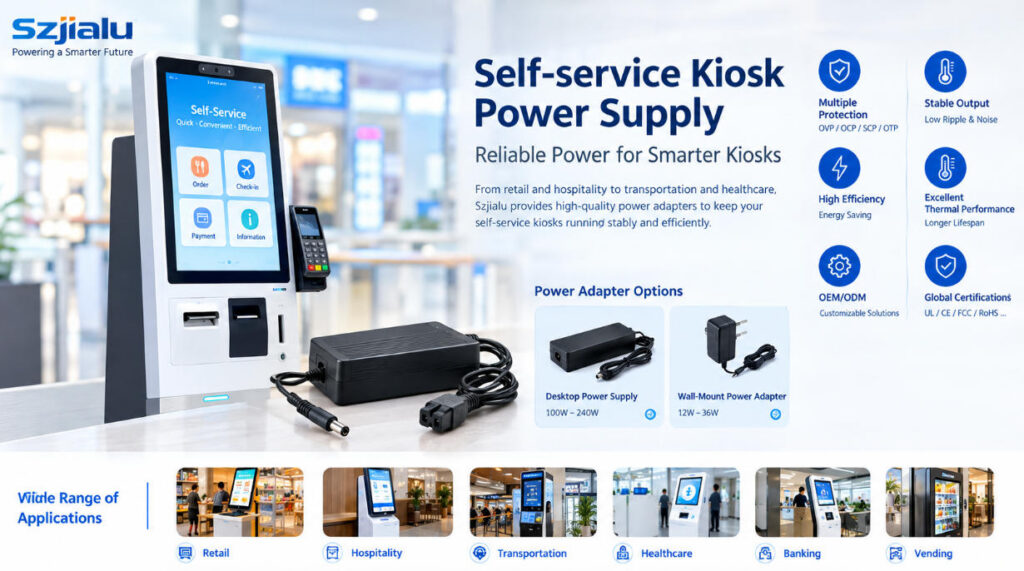
Szjialu’s Wall-Mount Power Adapter range includes lower-power configurations such as 12W, 15W, 24W, and 36W models, making this format worth considering for compact kiosk subsystems and lower-power equipment.
For larger kiosks, a desktop power supply is often more practical.
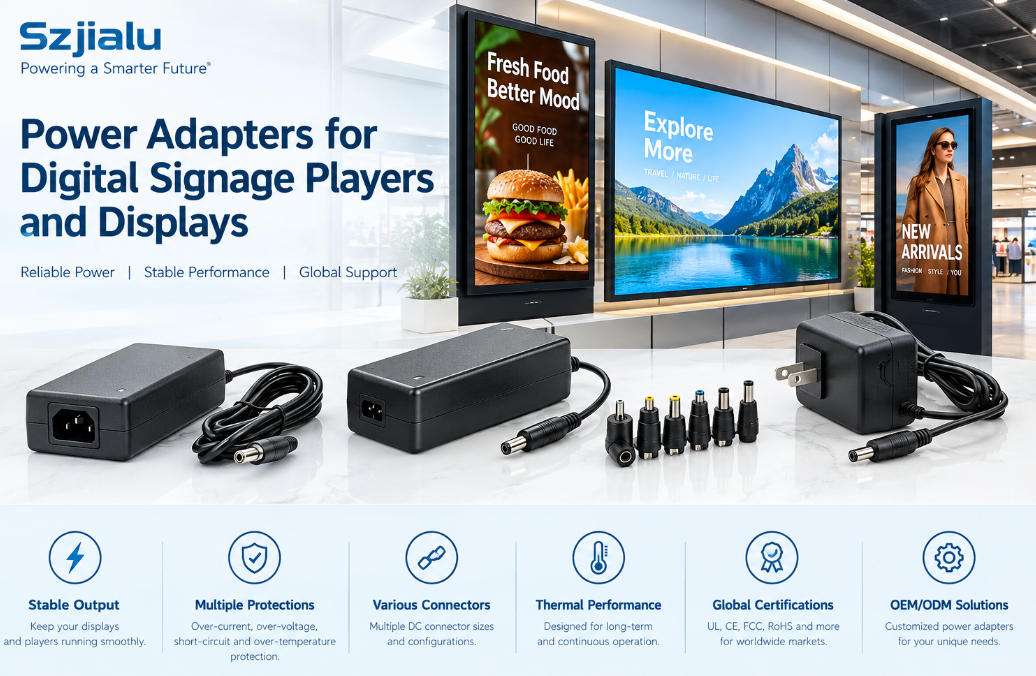
A desktop-style adapter can provide higher output power while allowing the AC connection and DC output to be positioned according to the kiosk’s internal layout. Szjialu’s Desktop Power Supply category currently includes models from approximately 100W through 240W, providing a broader range for higher-power kiosk systems.
The choice should ultimately be based on power, installation space, thermal conditions, cable routing, and the kiosk’s final mechanical design.

Continuous Operation and Thermal Management
A self-service kiosk is often expected to operate for many hours every day.
That makes thermal performance particularly important.
An adapter operating inside or near a kiosk enclosure may experience higher ambient temperatures than the same product used in an open office environment. If the power supply is continuously operated near its maximum capacity, internal temperature can increase and potentially affect long-term reliability.
When selecting a Self-service Kiosk power supply, buyers should evaluate:
- Continuous output rating
- Operating temperature range
- Efficiency
- Heat dissipation
- Enclosure ventilation
- Installation orientation
- Load profile
- Peak versus continuous consumption
The power supply should also be positioned so that heat generated by the adapter does not unnecessarily increase the temperature of sensitive components such as processors, displays, or payment electronics.
This is particularly important for enclosed kiosks installed in shopping centers, restaurants, transportation facilities, and outdoor or semi-outdoor environments.
Protection Functions Matter in Public-Facing Equipment
Kiosks are exposed to a different operating environment than many consumer electronics.
They may be powered on continuously and connected to multiple peripherals. Users may also repeatedly connect USB devices, interact with payment hardware, or access external interfaces.
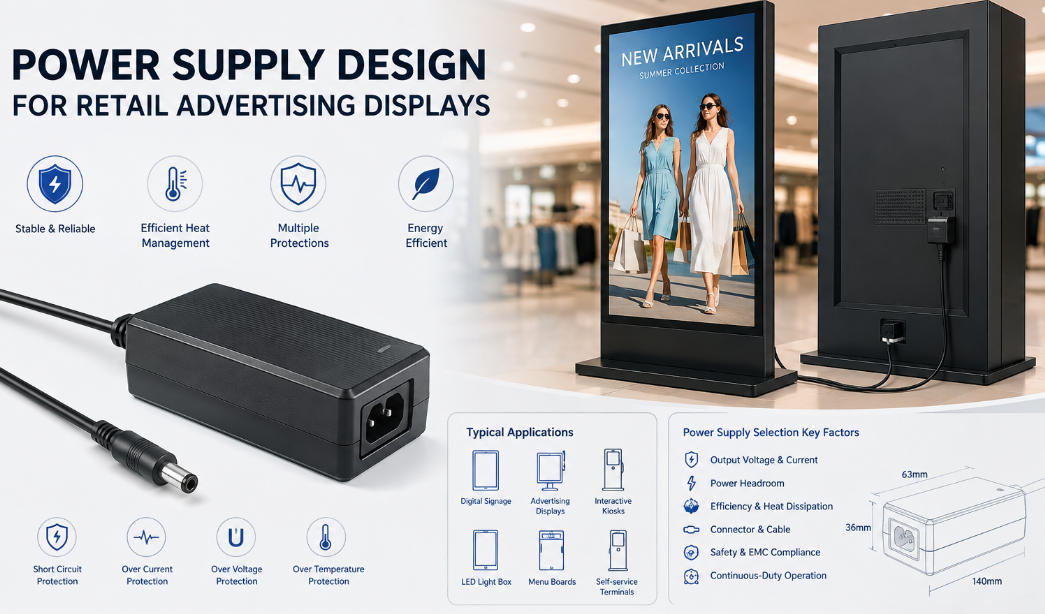
A suitable power adapter should therefore include appropriate protection functions.
Common protection features include:
- OVP — Over-Voltage Protection
- OCP — Over-Current Protection
- SCP — Short-Circuit Protection
- OTP — Over-Temperature Protection
These functions can help protect both the adapter and the connected electronics when abnormal operating conditions occur.
For example, a short circuit on a downstream peripheral should not result in uncontrolled damage to the entire power system.
Szjialu’s 36W wall-mount adapter is one example of this design approach, with OVP, OCP, SCP, and OTP protection, Level VI efficiency, multiple plug options, and customizable connector and cable configurations.
Connector Selection Is More Important Than It Looks
Electrical compatibility is only part of the selection process.
The DC connector must also match the kiosk’s internal wiring and equipment interface.
Common considerations include:
- DC barrel plug size
- Center-positive or center-negative polarity
- Cable length
- Wire gauge
- Connector locking requirements
- Right-angle or straight connector design
- Custom connector requirements
For example, a 5.5 × 2.1 mm connector should not automatically be considered interchangeable with a 5.5 × 2.5 mm connector simply because they appear similar.
For kiosk manufacturers producing equipment at scale, connector selection should be finalized before mass production.
A loose or mechanically unsuitable connection can create intermittent power problems that are difficult to diagnose once kiosks are installed at customer locations.
EMI and Power Quality Should Be Considered Early
A modern kiosk contains several components that may be sensitive to electrical noise.
Touchscreens, payment terminals, communication modules, cameras, barcode scanners, and embedded computers can all be affected by poor power quality or electromagnetic interference.
A suitable power adapter should therefore provide stable regulated output with appropriately controlled ripple and noise.
The power supply should also be evaluated together with the complete kiosk system for EMC/EMI performance.
This is particularly important when the kiosk contains wireless communication equipment or sensitive payment electronics.
Passing certification for the power adapter alone does not necessarily guarantee that the final kiosk assembly will pass every regulatory requirement. The complete system still needs to be evaluated according to the target market and applicable regulations.
Certification and Regional Requirements
Kiosk manufacturers selling internationally should consider certification requirements during power supply selection rather than after the product has been designed.
Depending on the destination market, buyers may need certifications or approvals such as:
- UL
- ETL
- CE
- FCC
- UKCA
- KC
- PSE
- RCM
- SAA
- CB
The exact requirements depend on the market, kiosk configuration, product category, and final system architecture.
For this reason, the power adapter supplier should be able to provide the appropriate certification information for the exact production configuration.
This is especially important for OEM projects where the adapter may use a customized connector, cable, label, enclosure, or regional AC plug.
OEM and ODM Customization for Kiosk Manufacturers
For standard consumer products, purchasing an off-the-shelf adapter may be sufficient.
Kiosk manufacturers often have different requirements.
The power supply may need:
- Custom output voltage
- Higher current capacity
- Special DC connector
- Longer DC cable
- Customized cable routing
- Regional AC plug
- Custom label
- Private branding
- Customized packaging
- Different enclosure dimensions
For manufacturers producing kiosks in volume, these details can make a significant difference to installation efficiency and overall product integration.
Szjialu focuses on power adapters, USB chargers, PD chargers, power banks, and customized power supply ODM projects. The company states that its product development covers multiple adapter series and hundreds of specifications, with OEM/ODM support for customized power solutions.
This makes a manufacturer-oriented power supplier more suitable for kiosk projects than a generic retail adapter supplier when the project requires repeated production and specification customization.
How to Select a Self-service Kiosk Power Supply
Before placing a bulk order, kiosk manufacturers and system integrators should confirm at least the following specifications:
1. Determine the total load
Calculate the continuous consumption of the computer, display, printer, scanner, payment hardware, networking equipment, and other peripherals.
2. Identify the required output voltage
Confirm whether the kiosk’s main DC bus operates at 5V, 9V, 12V, 15V, 19V, 24V, or another voltage.
3. Calculate the required current
Use the maximum expected load rather than relying only on average consumption.
4. Add appropriate design margin
Allow sufficient capacity for startup current, peak loads, component aging, and future revisions.
5. Select the physical format
Choose between wall-mount and desktop designs according to the kiosk enclosure, installation method, and output power.
6. Confirm the DC connector
Verify dimensions, polarity, locking requirements, cable length, and mechanical compatibility.
7. Check thermal conditions
Consider the temperature inside the kiosk enclosure and whether the adapter has sufficient thermal headroom.
8. Confirm protection functions and certifications
Make sure the selected configuration provides appropriate protection and certifications for the intended market.
9. Discuss customization before mass production
For large-volume projects, confirm connector, cable, label, plug, packaging, and branding requirements before finalizing the production version.
Final Thoughts
The right Self-service Kiosk power supply should be treated as part of the kiosk’s system architecture rather than as an interchangeable accessory.
Power rating, output voltage, current capacity, connector design, thermal performance, protection functions, EMI characteristics, certifications, and customization options all influence the reliability of the final kiosk.
For compact, lower-power equipment, a wall-mount adapter may offer a practical installation solution. For larger kiosks with displays, computers, printers, and multiple peripherals, a higher-power desktop adapter can provide more suitable capacity and flexibility.
For OEM and bulk purchasing projects, working directly with a power adapter manufacturer can also simplify customization and long-term supply planning.
Szjialu provides a range of AC/DC power adapters and customized power supply solutions for manufacturers and system integrators. With different output configurations, adapter formats, international plug options, and OEM/ODM capabilities, the company can support projects where the power supply needs to be integrated into a specific kiosk design rather than simply purchased as a standard retail accessory.
For kiosk developers planning a new product or replacing an existing power source, the most effective approach is to define the electrical load, mechanical constraints, target market, and certification requirements first—then select the power adapter around those engineering requirements.