A good charger used to mean one thing: plug in and power up. Today, that is no longer enough. Most people are charging a laptop, phone, tablet, earbuds, or even a portable monitor from the same desk, the same bag, or the same travel setup. That is why choosing the best PD charger for laptop and phone matters more than ever.
The right charger should do more than deliver power. It should simplify your daily routine, reduce cable clutter, travel well, and keep each device charging safely and efficiently. In a world built around USB-C and fast charging, a well-chosen multi port charger USB-C can make your entire setup feel cleaner and more reliable.
This guide breaks down what to look for, what to avoid, and how to choose a charger that works for both work and life.
Why a Multi-Device Charger Matters
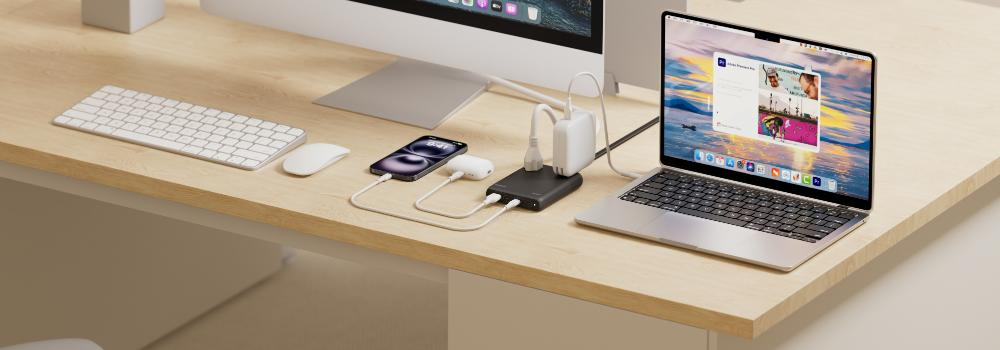
Most users no longer charge just one device. A typical modern setup may include a laptop, smartphone, wireless earbuds, smartwatch, tablet, and sometimes a second phone or power bank. Using separate chargers for each one creates unnecessary clutter and often wastes outlet space.
A proper USB-C charger for laptop and phone solves that problem. Instead of carrying multiple adapters, you use one compact charger with the right power output and the right port mix. That means fewer cables, less weight in your bag, and a more efficient charging routine at home, in the office, or while traveling.
For many users, the real value is not only speed. It is convenience.
What Makes the Best PD Charger for Laptop
Not every USB-C charger is suitable for laptop charging. Phones can often charge from many low- and mid-power adapters, but laptops usually need much more output. The best PD charger for laptop should meet a few basic requirements.
First, it must support USB Power Delivery, or PD. This is the charging standard that allows devices to negotiate the correct voltage and current safely. Second, it should provide enough wattage for your laptop. Many ultrabooks are comfortable with 45W to 65W, while more demanding laptops may need 100W or more.
Third, it should manage power intelligently when multiple ports are used. A charger that can deliver strong output to one laptop while still supporting a phone or tablet at the same time is far more useful than a basic single-port adapter.
If your charger cannot meet your laptop’s required wattage, your device may charge slowly, stop charging under heavy use, or drain while plugged in.
Choosing the Right Wattage
Wattage is one of the most important details when buying a charger, and it is often where people make mistakes.
A 20W charger may be great for a phone, but it is not enough for most laptops. A 65W charger is a common sweet spot for people who want one charger for both laptop and phone. It is often enough for ultrabooks, MacBook Air-style devices, business laptops, and tablets, while still being compact enough to carry daily.
For users with larger laptops, a 100W charger is often the better choice. It provides more headroom, especially if you want to charge a laptop and other devices at the same time.
Here is a simple way to think about it:
- 20W–30W: best for phones and small accessories
- 45W–65W: ideal for many laptops and phones
- 100W+: better for power-hungry laptops and multi-device charging
When in doubt, choose more wattage than you think you need, especially if you plan to charge more than one device from the same charger.
Why USB-C Is the Best Choice
USB-C has become the standard for modern fast charging because it is versatile, reversible, and capable of delivering much higher power than older USB-A chargers.
A good multi port charger USB-C can charge laptops, phones, tablets, earbuds, and power banks from one compact unit. This makes it easier to build a cleaner charging station at home or carry one charger for work and travel.
USB-C also supports modern charging protocols, which means your devices can receive power more efficiently. Instead of forcing a fixed output, the charger and device communicate to determine the right level.
That communication is the reason PD charging is more reliable than generic fast chargers.
Single-Port vs Multi-Port Chargers
Some users only need one device at a time. In that case, a single-port charger may be enough. But for most people with a laptop and phone, a multi-port design is much more practical.
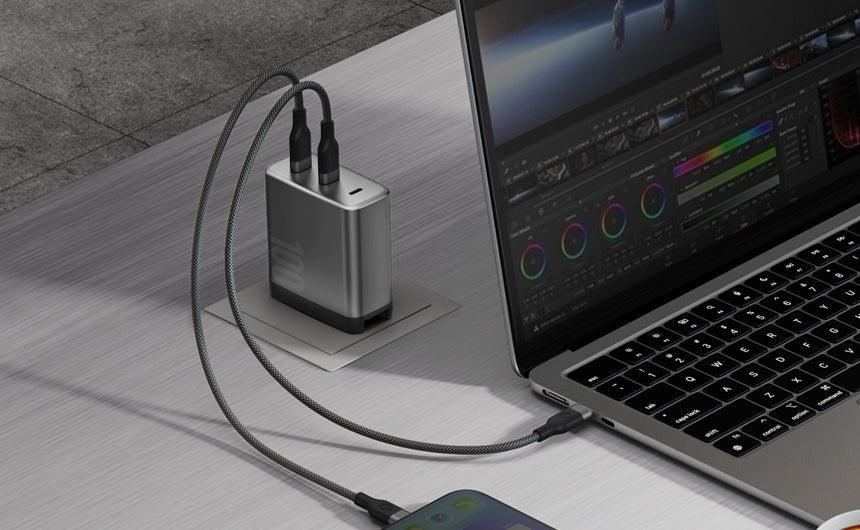
A multi port charger USB-C lets you charge two or more devices from a single outlet. That is especially useful on a desk, in a hotel room, or in a shared workspace.
There are a few things to check before buying:
- Total output capacity
A charger with multiple ports does not always deliver full wattage to every port at once. Check how power is shared when more than one device is connected. - Port priority
Some chargers prioritize the first port, which is useful if the laptop should receive the highest power. - Mixed port types
Some models include both USB-C and USB-A. That can be helpful if you still have older devices, but USB-C should be the main port for your laptop and phone. - Size and heat
Multi-port chargers should stay compact and cool enough for everyday use.
For most modern users, a well-designed multi-port USB-C charger offers the best balance of flexibility and convenience.
GaN Chargers Are a Smart Upgrade
If you have seen the term GaN charger, it refers to gallium nitride technology. In simple terms, GaN allows chargers to be smaller, more efficient, and better at handling higher power levels.
For a multi-device setup, this matters a lot. A GaN-based charger can often deliver laptop-level power without becoming bulky. That makes it ideal for people who want a compact best PD charger for laptop without sacrificing performance.
Many of the best modern chargers use GaN technology because it helps reduce size and heat while maintaining strong output.
What to Look for in a Charger for Laptop and Phone
A charger for both laptop and phone should be judged by more than just the wattage number on the box. Here are the most important details to check.
1. Power delivery compatibility
Make sure the charger supports USB PD, not just standard USB charging.
2. Enough total wattage
Choose a charger that can comfortably handle your laptop while leaving room for your phone or other devices.
3. Reliable port distribution
If you use more than one port at once, confirm how the charger splits power.
4. Quality cables
A great charger can still underperform with a poor cable. For laptops, use a USB-C cable rated for the correct wattage.
5. Safety features
Look for overcurrent, overvoltage, overheating, and short-circuit protection.
6. Travel-friendly design
If you travel often, a compact charger with foldable prongs or a lightweight body can make a big difference.
Common Mistakes to Avoid
Many buyers focus only on price or brand name and miss the most important details. That can lead to slow charging, compatibility issues, or a charger that works fine for a phone but fails for a laptop.
One common mistake is buying a low-watt phone charger and expecting it to power a laptop. Another is choosing a multi-port charger without checking how the output changes when several devices are connected. Some chargers advertise high total wattage, but that wattage may not be available from a single port.
Another mistake is ignoring cable quality. If the cable cannot handle high wattage, the charger will not perform properly, even if the adapter itself is excellent.
Best Use Cases for a Multi-Device Setup
A strong USB-C charger for laptop and phone is useful in many real-world situations.
For office desks, it reduces clutter and keeps your work area cleaner. For remote workers, it makes it easier to move between home and office without carrying several chargers. For travelers, it reduces the number of items in your bag and frees up outlet space in hotels or airports.
Students also benefit from a multi-port charger because they often carry a laptop, phone, earbuds, and sometimes a tablet. Instead of packing separate adapters for each device, one efficient charger can handle the whole routine.
How to Pick the Right Charger for Your Needs
The best charger for you depends on how many devices you charge and what kind of laptop you own.
If you mainly charge a laptop and phone together, a 65W or 100W charger is usually the best place to start. If your laptop is an ultrabook and your phone is your second priority, 65W may be enough. If you use a larger productivity laptop or want more future-proofing, 100W is safer.
For users who need multiple ports, a multi port charger USB-C is worth the investment. It gives you more flexibility and works better as your device collection grows.
If portability matters most, choose a compact GaN model. If desk organization matters more, a slightly larger charger with extra ports may be the better trade-off.
Final Thoughts
The best PD charger for laptop is not simply the one with the highest number on the box. It is the one that matches your devices, your daily routine, and your charging habits. For most users, the ideal choice is a compact, efficient multi port charger USB-C with enough wattage for a laptop and extra output for a phone or other accessories.
A smart charger can simplify your life in a surprisingly practical way. It reduces clutter, saves time, and makes your workspace or travel bag easier to manage. If you charge more than one device every day, upgrading to a high-quality USB-C PD charger is one of the simplest improvements you can make.
FAQ
What is the best PD charger for laptop and phone?
The best option is usually a USB-C PD charger with enough wattage for your laptop, plus extra ports for your phone and other devices. For many users, 65W or 100W is a strong choice.
Is a multi port charger USB-C safe for laptops?
Yes, as long as it supports USB Power Delivery and provides the correct wattage for your laptop. Safety also depends on cable quality and built-in protection features.
Can I charge my laptop and phone at the same time?
Yes. A proper multi-device charger is designed for that. Just check how power is shared between ports so your laptop still gets enough output.
Do I need 100W for my laptop?
Not always. Many laptops charge well with 65W. Larger or more demanding laptops may need 100W or more.